

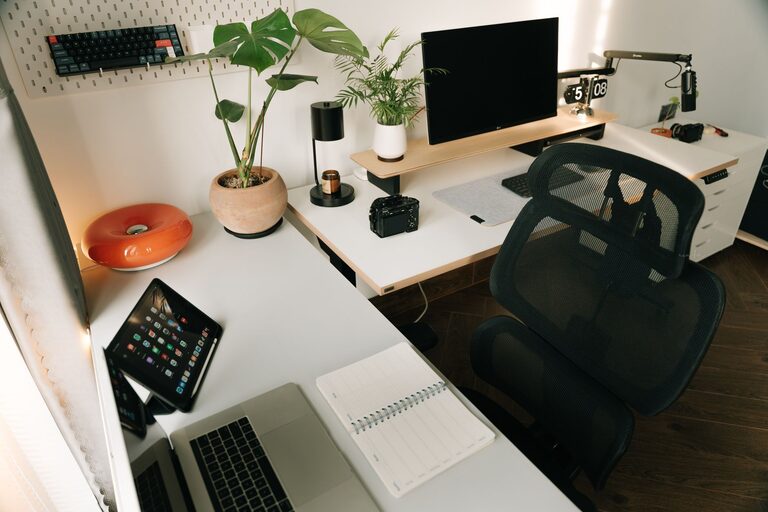
A workspace does not need a complete makeover to feel fresh. In just ten minutes, you can clear visual clutter, improve your comfort, and make it easier to focus on the next task.
This quick reset works for a home office, a shared desk, a study area, or any spot where you work regularly. The goal is not perfection. It is to make a few small improvements that create an immediate difference.
Start with a quick reset
Before you begin, set a timer for ten minutes. A time limit helps you stay focused and prevents the task from turning into a larger cleaning project.
Use a small basket, box, or reusable bag to collect items that belong somewhere else. Keep a trash can nearby, and have a cloth or paper towel ready for a quick wipe-down.
For the next ten minutes, focus only on the workspace in front of you. Avoid opening drawers, sorting old papers, or reorganizing an entire room. Those projects can wait.
Minute 1: Clear visible trash
Begin with the easiest step: remove anything that can be thrown away or recycled.
Look for:
– Empty cups or bottles
– Food wrappers
– Used tissues
– Old sticky notes
– Dried-out pens
– Unwanted receipts
– Packaging and scraps of paper
A clear surface can look more organized almost immediately. If you find papers that need attention, place them in one neat pile rather than reviewing them now.
The purpose of this first minute is to remove obvious distractions and create room for the next steps.
Minutes 2 and 3: Put items back where they belong
Next, return loose items to their proper places. Put writing tools in a holder, return books to a shelf, and move dishes to the kitchen.
If something belongs in another room, place it in your collection basket. This keeps you from leaving the workspace and getting distracted by another task.
Do not worry about finding the perfect storage solution. For now, simply group similar items together and clear the main work area.
A useful rule is to keep only the items you use frequently within easy reach. Less-used supplies can go in a drawer, cabinet, or nearby storage area.
Minutes 4 and 5: Organize the main surface
With the loose items removed, organize the desk or table.
Start by creating three simple zones:
Work zone
Keep your computer, notebook, or current project in the area directly in front of you. This should be the easiest part of the workspace to access.
Supply zone
Place everyday tools such as pens, a calculator, or a notepad to one side. Keep them close enough to reach without interrupting your work.
Personal zone
Move decorations, snacks, chargers, or personal items to a separate area. These items can stay, but they should not compete with your main work materials.
If your desk is small, these zones may be more like tidy groups than clearly separated sections. The goal is to make each item easy to find.
Minute 6: Wipe down high-touch surfaces
Use a suitable cloth to wipe the areas you touch most often. Focus on the desktop, keyboard, mouse, phone, and chair arms.
If you use any cleaning product, follow the instructions on its label and keep liquids away from electronic devices. A lightly damp cloth is often enough for a quick surface refresh.
This step is also a good opportunity to notice crumbs, dust, or fingerprints that may have been easy to overlook. A clean surface can make the entire workspace feel more inviting.
Minute 7: Improve your screen and cables
A cluttered screen can be just as distracting as a cluttered desk. Close unnecessary tabs and applications, then leave only the windows you need for your current task.
You can also take a few seconds to:
– Move unrelated files off the desktop
– Close old notifications
– Put frequently used websites in an organized folder
– Remove duplicate shortcuts
– Adjust the screen so it faces you directly
Then look at your cables. Untangle any cords that are crossing your work area, and move extra length behind the desk or along its edge. If you have cable ties or clips nearby, use them to keep cords together.
You do not need a complete cable management system. Even a small improvement can make the area look calmer.
Minute 8: Check your comfort
A refreshed workspace should also feel comfortable to use. Sit in your normal working position and make a few basic adjustments.
Place both feet on the floor if possible. Keep your shoulders relaxed, and position your screen so you are not constantly looking down or turning to one side. Move your keyboard and mouse close enough that your arms can rest comfortably.
Check the lighting, too. If the area feels dim, turn on a lamp or open a curtain. If there is glare on your screen, change the angle of the screen or adjust the light source.
Small comfort improvements can make it easier to settle into your next task.
Minute 9: Choose your next priority
Now decide what you want to accomplish first. Write one clear task on a sticky note, in a notebook, or on your digital to-do list.
Make the task specific. Instead of writing “work on project,” try:
– Draft the opening section
– Reply to three messages
– Review the first five pages
– Create the outline
– Finish the current spreadsheet section
Choosing one priority gives your refreshed workspace a clear purpose. It also helps prevent you from immediately filling the clean surface with unrelated materials.
Minute 10: Add one useful finishing touch
Use the final minute to make one small change that helps you enjoy the space.
You might:
– Add a small plant or personal object
– Place a fresh notepad nearby
– Fill a water bottle
– Set out the book or document you need
– Open a window briefly, if appropriate
– Put a simple reminder where you can see it
Choose only one or two finishing touches. The purpose is to make the workspace feel ready, not crowded.
Before you finish, take a moment to look at the area from your usual seat. Ask yourself whether the items you need are easy to reach and whether anything still feels distracting.
Keep the refresh going
A ten-minute reset is most useful when it becomes easy to repeat. At the end of each work session, try returning items to their places and removing obvious trash. This may take only two or three minutes.
You can also schedule a longer refresh once a week. Use that time to sort papers, clean less accessible areas, review supplies, and remove items you no longer use.
The best workspace routine is one you can maintain. You do not need expensive organizers or a perfectly styled desk. A clear surface, comfortable setup, and defined next step are often enough to create a better place to work.
When your workspace starts to feel distracting, set a timer and begin with the simplest action. Ten focused minutes can turn a crowded, tiring area into a space that feels ready for what comes next.