

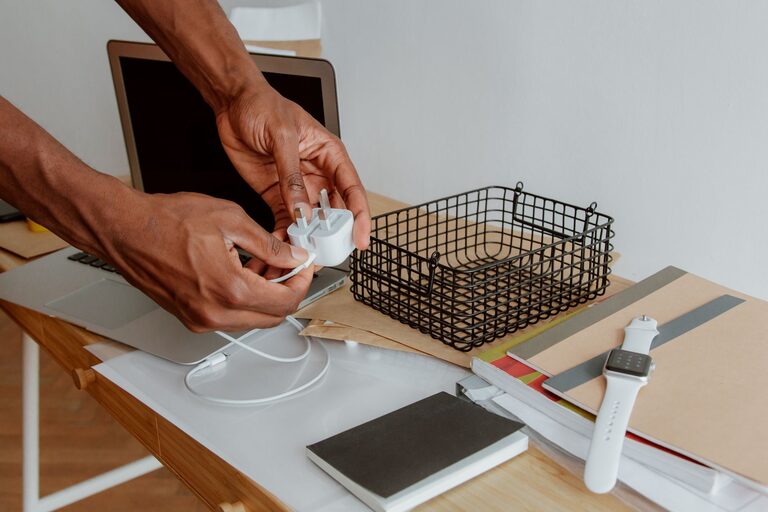
Loose cables can quickly turn a tidy desk, drawer, or entertainment center into a tangled mess. Charging cords often get mixed together, while older cables become difficult to identify or store. With a few simple habits and inexpensive organizing tools, you can keep every cable easy to find and ready to use.
The best cable organization system does not need to be complicated. It should help you answer three questions quickly:
– What device does this cable belong to?
– Where should it be stored?
– Is it currently being used, kept as a spare, or ready to be recycled?
Start by Gathering Every Cable
Before organizing, collect cables and chargers from around your home. Check desks, nightstands, kitchen counters, bags, drawers, storage bins, and entertainment centers. Include charging cables, power adapters, extension cords, computer cables, and accessories such as USB hubs.
Place everything in one area so you can see how much you have. This step may reveal that you own several similar cables or have stored chargers in multiple locations.
As you gather items, handle them carefully. Avoid pulling on the cord, bending it sharply, or wrapping it tightly around the charger. These habits can damage the cable over time.
Sort Cables Into Useful Groups
Sorting is easier when you use categories that match your daily routines. You can create groups such as:
– Phone and tablet chargers
– Computer and laptop cables
– Audio and video cables
– Camera and gaming cables
– Household power cords
– Extension cords and power strips
– Spare or rarely used cables
– Cables that need testing or disposal
You can also sort by location. For example, create separate groups for your home office, bedroom, living room, and travel bag. A location-based system works well when the same cables are used in specific areas.
Try not to create too many categories. If every cable has its own special group, the system may become harder to maintain. Choose broad categories that make sense for your space and habits.
Test Unlabeled or Unknown Cables
If you are not sure what a cable does, set it aside in a small “identify” group. Test it with compatible devices when possible. You can also inspect the connectors and compare them with your electronics.
Do not force a connector into a port. If a cable feels damaged, has exposed wires, or becomes unusually hot during use, stop using it and set it aside for proper disposal.
Once you identify a cable, label it or place it with similar items. If you cannot identify it after a reasonable amount of time, consider whether it is worth keeping. Unknown cables often take up space without providing much value.
Remove Duplicates and Damaged Items
Many homes have more cables than they need. Keep the number of spare cables that fits your routine, but avoid storing every cable you have ever owned.
Before putting items away, inspect each one for:
– Frayed or split insulation
– Bent or loose connectors
– Missing parts
– Signs of overheating
– Dirt or corrosion
– Cords that no longer work
Set aside damaged cables for appropriate electronic waste recycling. Do not place electronic accessories in regular recycling unless your local program specifically allows them. Some stores, community centers, or recycling services accept unwanted electronics and cables.
Label Cables Clearly
Labels make a major difference, especially when several cables look alike. You can use small cable tags, adhesive labels, colored tape, or reusable markers.
Write simple descriptions such as:
– Phone charger
– Laptop power
– Monitor cable
– Speaker cable
– Camera charger
– Travel spare
For chargers with removable cables, label both the cord and the adapter if they are meant to stay together. You can also label cables by their destination, such as “desk,” “bedside,” or “TV.”
Use colors to make frequently used items easier to recognize. For example, blue labels can represent office cables, while green labels can represent travel accessories. Keep the color system simple and consistent.
Choose the Right Storage Method
Different cables work best with different storage solutions. The goal is to prevent tangles while keeping items visible and accessible.
Use Cable Ties or Reusable Bands
Reusable hook-and-loop ties are a practical choice for most cables. They are adjustable, easy to remove, and gentler on cords than tight plastic ties. Small silicone bands can also work well for shorter charging cables.
When wrapping a cable, use a loose loop rather than a tight coil. Follow the cable’s natural curve and avoid bending it near the connector. Keep the tie attached to the cable so it does not get lost.
Store Small Cables in Pouches
Zippered pouches, pencil cases, and small fabric bags are useful for chargers and short cords. Use one pouch for daily technology items and another for travel or backup cables.
Clear pouches make it easier to see what is inside. If you use opaque containers, add a label to the outside. Avoid filling each pouch too tightly, since crowded storage can cause cables to bend or become difficult to remove.
Use Boxes With Dividers
A box with compartments is helpful for drawers and shelves. You can use small bins, adjustable dividers, or repurposed containers to create sections for different cable types.
Store the heaviest items at the bottom and place frequently used accessories near the front. Keep adapters separate from thin cords when possible so they do not press against or tangle with them.
Create a Charging Station
A dedicated charging station can prevent cords from spreading across a desk or countertop. Place a power strip or charging hub in one location and guide each cable to its usual position.
Use adhesive cable clips, a cable tray, or a cable management box to keep cords in place. Leave enough slack for comfortable use, but avoid long loops hanging from the surface.
A charging station works best when every household member knows where to return each cable after use.
Manage Cables Behind a Desk or TV
Cables behind furniture are easy to ignore, but organizing them can make cleaning and troubleshooting much easier. Start by unplugging devices and tracing each cable from one end to the other.
Group cables that run to the same area. Use reusable ties or sleeves to bundle them, but do not combine cables so tightly that you cannot remove one without disturbing the rest.
Attach labels near both ends of important cables. This is especially useful for monitor, printer, speaker, and power cables. Leave some room near connectors so the cables can be unplugged without pulling on the cord.
A cable tray mounted under a desk can keep power cords off the floor. For entertainment centers, a small storage box can hide extra length while allowing the main cables to pass through an opening.
Organize Cables for Travel
Travel cables should be easy to reach and limited to what you actually use. Create a small kit with your main charging cable, wall adapter, and any needed accessories.
Use a compact pouch with separate sections or elastic loops. Keep cables loosely coiled and label similar items. If you travel often, storing a spare charger in the pouch can save time when packing.
Avoid placing loose cables in a pocket with keys or other sharp objects. This can scratch connectors or damage the cord.
Maintain the System Regularly
Cable organization is easier to maintain than to create from scratch. Once a month or every few months, take a few minutes to return items to their assigned places.
Use these habits:
– Put cables away after use
– Return travel accessories to the travel pouch
– Remove chargers that no longer work
– Update labels when devices change
– Keep frequently used cables in easy-to-reach locations
– Review spare cables before adding new ones
When you buy a new device, decide immediately where its cable and charger will be stored. This small step prevents new items from creating another tangled collection.
An organized cable system should make daily life simpler, not add extra work. By sorting cables, labeling them, storing them loosely, and keeping only what you need, you can maintain a tidy space and find the right charger whenever you need it.